About SimlessPay

What does SimlessPay do?

SimlessPay is a global financial services platform that enables instant money transfers from the U.K. to Nigeria today, with expansion plans into markets like Ghana, Uganda, Tanzania, and Kenya ongoing.

Launched in 2023, we are driven by the vision of making international money transfers cheap, fair, and simple.

The best part is that we offer the best rates and allow you to send money with zero fees, in just a few minutes, ensuring both speed and affordability.

Location: Cariocca Business Park, 2 Sawley Road, Manchester, England, M40 8BB

Our Vision

To be the most trusted global partner for cross-border payments, making international money movement seamless, inclusive, and secure.

Our Mission

To make international money transfers effortless by combining cutting-edge technology, robust compliance, and exceptional customer care to deliver real value with every transaction.

Here are the countries you can send money to using our platform: AFRICA – Nigeria (available now), Ghana, Uganda, Tanzania, Kenya (coming soon)

Are there any fees for transferring money?


SimlessPay allows you to send money from the United Kingdom to Nigeria and vice versa at zero fees, with expansion plans into markets like Ghana, Uganda, Tanzania, and Kenya ongoing.

Does the exchange rate stay fixed or change daily?

At SimlessPay, our rates mirror the true market rates and operational realities. We proactively adjust our rates in real-time to stay perfectly aligned with market fluctuations, ensuring you always get the most competitive rates possible.

What happens if I go over my transaction limit?

At SimlessPay, we prioritize flexibility and security in your transactions.

  • No daily transaction limits. Send money whenever you need.
  • Monthly limit: £10,000 per user.

If you exceed your monthly limit, you’ll need to wait until the start of the next calendar month for it to automatically reset. All monthly limits refresh on the 1st of each month.

How can I submit a complaint?

We apologize if your experience with SimlessPay did not fully meet your expectations. If you wish to lodge a complaint, you can reach us through the Support section in the SimlessPay app or via email at cs.support@simlesspay.com.

How do I report fraudulent activity?

If you believe your SimlessPay account has been compromised or if you suspect that a fraudulent transaction has occurred, please contact us immediately via email at cs.support@simlesspay.com. We also recommend that you report the incident to the appropriate law enforcement authorities.

Which countries can I send money to with SimlessPay?

The SimlessPay app allows you to send and receive money effortlessly from the United Kingdom to Nigeria and very soon to other African countries too, including Ghana, Uganda, Tanzania, and Kenya.
Managing My Account

How can I create an account on SimlessPay?

SimlessPay enables you to send money from the UK to Nigeria, and vice versa.

Follow these simple steps to get started and send money securely from your UK debit card to mobile money in Nigeria (or vice versa):

  1. Download the App: Search for SimlessPay in the App Store (iOS) or Google Play Store (Android) and install it on your mobile phone.
  2. Create an Account: Open the app, sign up using your email or phone number, and complete your personal details as prompted.
  3. Verify Your Identity: Verify your account using facial recognition and an approved form of ID. We use Veriff for secure, fast verification. You are fully registered once you have successfully completed and passed the verification process. This typically takes a few hours to a day.
  4. Access Your Dashboard: Once verified, you’ll receive a confirmation notification, and your account will be fully activated and ready for transfers.
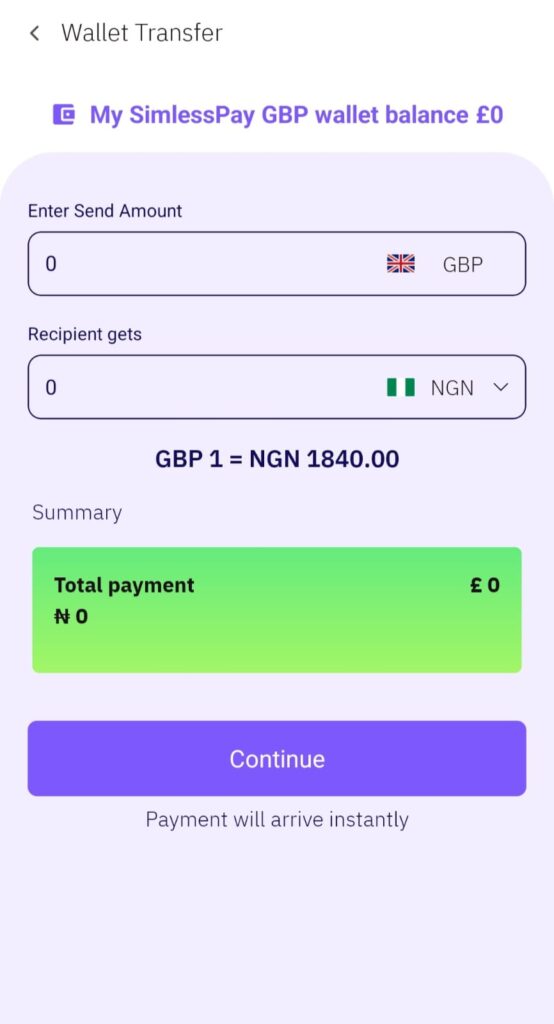
  5. Enter Transfer Details: Tap “Send Money”, input your recipient’s mobile money details, and specify the amount in GBP.
  6. Review and Confirm: Double-check all details, add notes if needed, and tap “Send”. You’ll receive an instant receipt upon completion.

Watch Video Below

Which ID documents can I use to verify my identity?


SimlessPay requires your International Passport to verify your account in relation to your sign-up country:

United Kingdom

  • International Passport

Nigeria

  • International Passport

Why is verification necessary?

Verifying your SimlessPay account is essential to keeping your money safe and ensuring we comply with financial regulations in the countries we serve.

Regulators require us to verify user information, especially for frequent transactions. This helps us block bad actors and makes the SimlessPay app even more secure for you.

Verify once, transact with confidence.

How do I complete my account verification?

To verify your SimlessPay account, follow these simple steps:

  1. Download the SimlessPay app.
  2. Navigate to your profile view.
  3. Select the verification tab.
  4. Tap ‘Verify Now’.
  5. Upload your required document: Passport.
  6. Check your email for confirmation or return to the verification tab. It will display ‘Verified’ once the verification process is successfully completed.

Verify quickly, securely, and start transacting.

How long does the verification process take?

Your verification will be reviewed against our secure criteria, and you’ll be notified the moment the verification process is complete.

If you’re unable to verify your identity successfully, we’ll send you a notification. Simply reach out to our support team at cs.support@simlesspay.com for prompt assistance.

Verify with confidence. SimlessPay has you covered.

What happens to my personal information after it’s uploaded?

At SimlessPay, the security of your personal and financial information is our top priority. Your account remains private, and only you can access it. Your personal details, including your identity verification certificate, are stored safely and securely in our database.

For complete transparency on how we protect your data, please review our Privacy Policy.

How can I close my SimlessPay account?

If you’re ready to close your SimlessPay account, please first complete any pending transfers.

As a regulated financial institution, we’re required to retain certain personal information on file, so a full deletion isn’t possible. That said, we will securely erase any data no longer needed, and all retained information will remain fully protected.

To cancel your SimlessPay account, simply contact us at cs.support@simlesspay.com.

I forgot my password; how can I reset it?

Forgot your password? Resetting it with SimlessPay is quick and easy!

  1. Open the SimlessPay app and tap Log In on the home screen.
  2. On the login screen, tap Forgot Password?
  3. Enter the email address linked to your SimlessPay account.
  4. Tap the Reset Password button to receive your reset link. We’ll send it straight to your inbox (check spam if needed).
  5. Open the link on your phone and tap Reset Password to set a new password.

Need help? Contact our support team anytime at cs.support@simlesspay.com.

How are transfer errors resolved?

If an error occurs in the bank details during a SimlessPay transfer, we cannot reverse the funds.

Always double-check all details for accuracy before final confirmation.

SimlessPay allows you to edit transfer details up until the final submission step to make corrections easily.

Referral Program

How much can I earn by referring friends or family to SimlessPay?

Earn 10GBP with SimlessPay every time someone:

  • Downloads the SimlessPay app
  • Uses your unique referral code or link during sign-up
  • Verifies their account
  • Send 50GBP or more on their first transfer.

Do my invitees receive a reward when they use my referral code?

No, your invitees won’t receive a signup reward just for using your referral code. However, they can earn referral rewards of their own by sharing their unique SimlessPay referral code or link.

Once the people they invite sign up, verify their accounts, and complete a qualifying transfer of at least 50GBP.

Do I need to download the app to earn referral bonuses?

Invite your friends through the SimlessPay app to earn a bonus.

How to refer:

  1. Download the SimlessPay app and get verified.
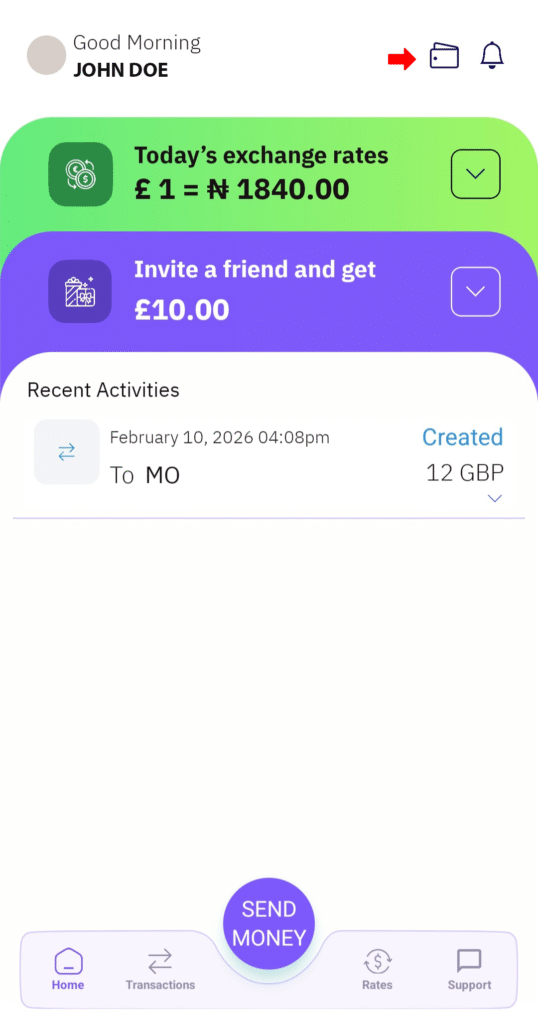
  2. Tap “Referral” at the bottom of the home page.
  3. Copy and share your unique referral link with friends and family.

Once they sign up using your link, verify their account, and meet all requirements, your bonus will be credited directly to your SimlessPay account.

Are referral bonuses paid instantly?

Once a qualifying transaction of at least 50 GBP is completed and all requirements are met, you can initiate your withdrawal. The referral bonus will reflect in your provided bank account within 24 to 48 hours.

How Do I Refer People Using My Unique Referral Code

SimlessPay users can refer family and friends by following these steps:

To Share Your Referral Link

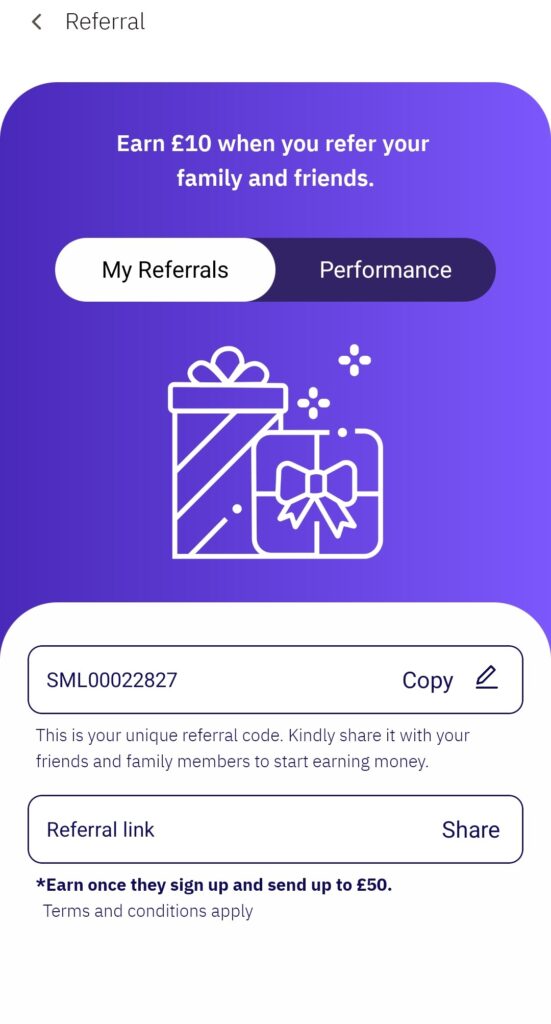
  1. Log into the app and navigate to the “My Referral” section from your profile page.
  2. Tap “My Referrals,” then tap “Share” to copy and send the link to friends and loved ones.

To Personalize Your Referral Code

  1. Log into the app and navigate to the “My Referral” section from your profile page.
  2. Tap the pencil icon next to your unique referral code to edit it.
  3. Enter your desired referral code.
  4. Tap the tick icon to save and share.

How can I check how many people I’ve referred?

Here’s how to track referrals in the SimlessPay app:

  • Open the app and go to the Profile section.
  • Tap ‘My Referrals’.
  • Select the ‘Performance‘ tab to view your referrals and total earnings.

Where are my referral rewards paid?

All referral earnings are paid into your provided bank account as soon as a new user registers using your referral code or link, verifies their SimlessPay account, and makes a qualifying transfer of at least 50GBP.